Summary
This technical blog explores how an agentic swarm of AI “claws” can be utilized for projects like updating a Python utility and building a metrics-driven real-time dashboard, all while keeping humans in the loop.


Welcome back to our technical how-to series on AI. Today, I’ll cover my journey with an agentic swarm (aka “claws”), what I set up, and how it performed against my use cases.
‘A claw, a claw, my kingdom for a claw’
Agentic AI usage does not lack choice of tooling. From OpenClaw or NVIDIAs NemoClaw to OpenFang and Hermes-agent, variants and new takes on the requirement seem to be released weekly, but today I will be using Nanoclaw.
NanoClaw requires an Anthropic Claude.ai subscription and claude-code to install, configure, and run. If your organisation uses an alternative AI provider, then you’ll need to adapt NanoClaw to use that provider’s coding tool. You can find versions for Augment’s coding tool “auggie,” or OpenAI’s codex on GitHub (nauggieclaw or codex nanoclaw).
As per the README, the installation proceeds as follows:
- Fork <repo>/<reponame> on GitHub (click the Fork button)
- git clone https://github.com/<your-username>/<reponame>.git
- cd <reponame>
- claude | auggie | codex (referred to from now on as the AI code tool)
Then run /setup. The AI code tool handles everything: dependencies, authentication, container setup, and service configuration. For remote control, NanoClaw proposes the following integrations: Discord, Slack, Telegram, and WhatsApp.
For a test WhatsApp setup, I created a solo group for my claw called “pureKen.” Yes, my bots are just Kens because they’re good at doing stuff.
Within my AI code tool session, I proceed to implement WhatsApp by running /add-whatsapp and following the instructions. It prompts for device-pairing and the group to use. Once done, I can start giving my agent tasks via WhatsApp messages:

I proceed to do the same for Discord using the /add-discord skill:

This is a great start, but I’m looking for a multi-agent approach. I want to feel the power of the claws, plural, and have a team of agents work together on my task. For this, on my Discord server, I create a dedicated channel #pureken-swarm with several webhooks that will be used by subagents to send messages. I run the /add-discord-swarm (self-taught skill) and now have the option to assemble a team of agents. (Note: The swarm approach is adapted from the Telegram swarm skill.)
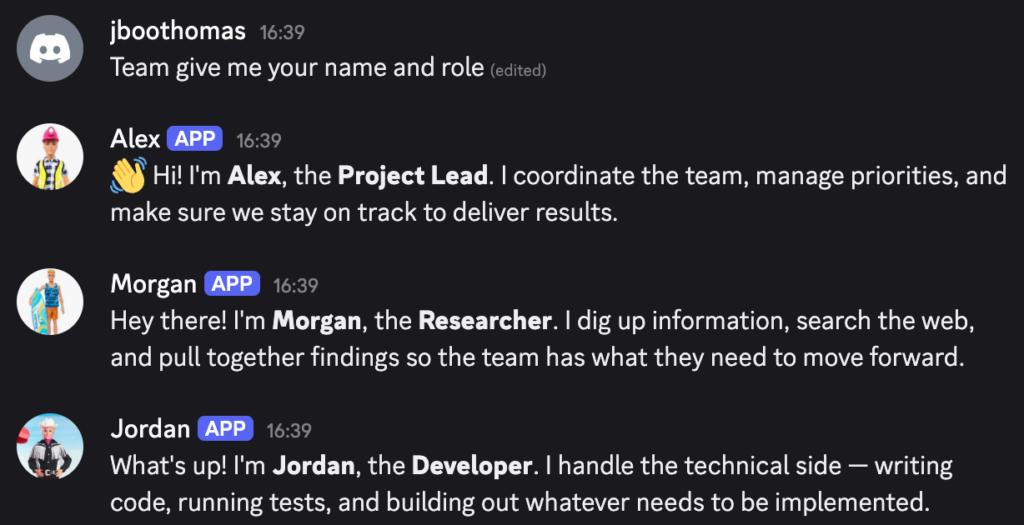
I prompt the main agent to assemble a team to work on a coding project and ask for their names and roles:
‘To port, or not to port, that is the question…’
In my backlog of things to do, a five-year-old Python utility refresh that is well overdue seemed like the prime candidate for my AI agent team. As a one-person development team, I need all the help I can get to improve and maintain my personal projects. One of my main questions was: “Do I maintain a Python version and have the LLM coding agents improve that?” or “Do they port the Python functionality into Go—essentially building the utility from scratch?” Note that the choice of Go language is based on my personal preference.
Now I could spend time researching the above question or use the team I have assembled.
Timeline of agent interactions
From the initial prompt, it took the agents:
- 3 minutes: Analysis of the code repo
- 3 hours 26 minutes: Port code to Go
- 6 hours 43 minutes: Human validation and minor bug fixes
I have a working version of my utility!
Overall, if I include the time the agents were waiting on the “human-in-the-loop,” it took five hours the first day and six hours the second day, spent on manual testing. In roughly 11 hours with my agents, we converted a Python utility to a functional and tested Go equivalent. The original code was 4,692 lines; the agent-ported version is 35% less at 3,047 lines of code.
‘Metrics, metrics, wherefore art thou…’
For my second challenge, I wanted to build a metrics-driven “real-time” dashboard. All of the following took less than half a day to create.
Storage layer
I ask my claw agents to connect to an Everpure™ FlashBlade® array at ip_address with a read-only API token and to build a metrics-driven real-time UI.
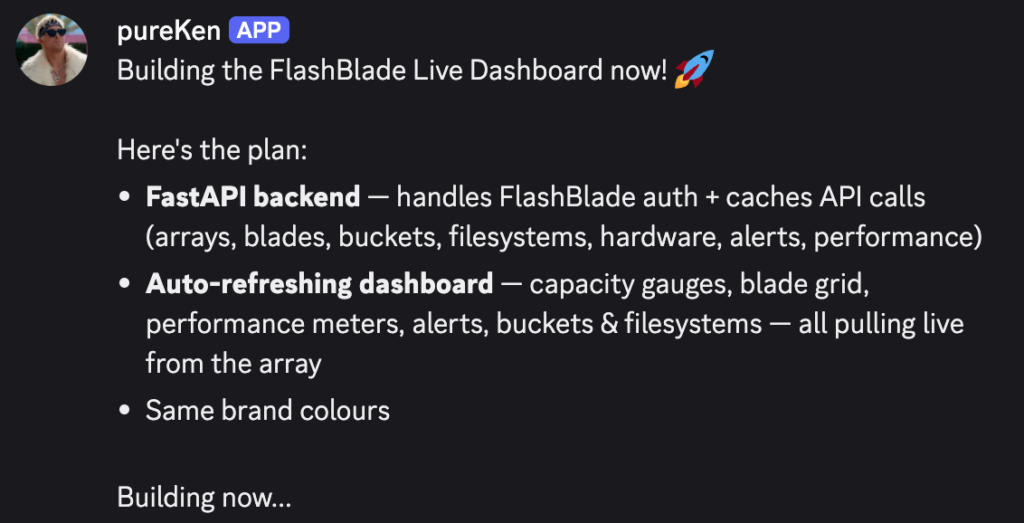
After a few minutes, I’m prompted to start and connect to the web app. Note: this is a lab array with no workloads currently running.

Compute layer
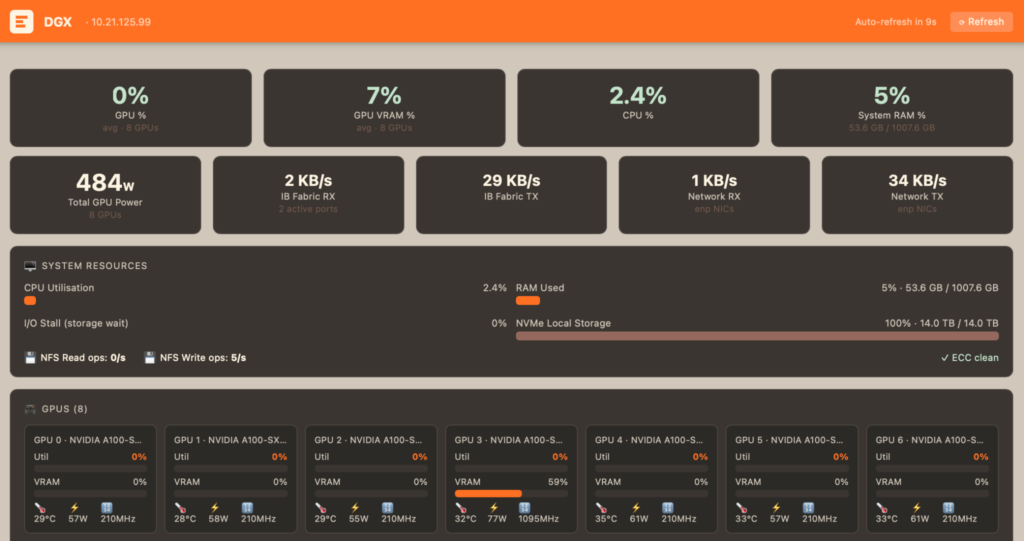
I ask my claw agents to build a second metrics tab in the UI, based on a DGX node and dcgm metric endpoints.
Combined dashboard
So far so good. I ask my claw agents to combine the two dashboards into a collated view. A few prompts later, to get the required metrics and desired layout, and I get this:

The combined metrics dashboard has IB and FlashBlade read/write throughput alongside GPU usage in a near-real-time five-minute sliding window. The above graph shows a save phase followed by a load phase during inference benchmarking of KV cache.
For more information on Everpure Key-Value Accelerator, read this blog.
Chat assistant
Now, as a final item, I ask the claw agents to add an assistant chat interface, where I can ask questions and have the responses based on the collected metrics. I ask the claw agents to implement both online and local served models for the inference engine.

‘Be not afraid of greatness. Claws are born great…’
The shift toward discussion-driven, interactive creation with LLM agents marks a point of no return; once you experience this level of agency, traditional static prompting feels fundamentally limited. Whether these “claws” (agents) are deployed locally via TUI/WebUI or integrated into collaborative spaces like Slack and Discord, the architecture scales to meet any security requirement.
There’s something inherently natural, almost “human” about discussing a task as your agent builds, tests, and deploys in real time. Yet, human-in-the-loop validation remains the vital anchor. As seen in our use cases, real-world testing and the nuances of visual refinement still require the human touch.
LLM-driven agents handle the heavy lifting, but we remain the architects.
If you’re interested in data solutions that redefine smart management, check out Pure1® and Pure1 AI Copilot.
6 Steps to AI-Ready Data Sets
See how to prepare AI-ready LLM training data sets with filtering, deduplication, and data blending to improve model quality and support enterprise AI.